Ask your cash. The answer comes ready.
Datanomik AI answers with charts, tables and reports built from the data of all your banks. In the platform, in Claude, in ChatGPT and in Microsoft Copilot.
Less spreadsheet between the question and the decision.

Answers as widgets
Charts, tables and indicators instead of paragraphs. You read your cash position in seconds.

Every number with its source
The reasoning steps and the source data open in every answer.

In the assistant you already use
Through the MCP server, the same questions work in Claude, ChatGPT and Copilot.
From the question to the committee report.
Three steps, in Portuguese, Spanish or English
1. Ask
Write the way you would talk to someone on the team: why cash dropped, what matures this month, which accounts are below the minimum. Datanomik AI suggests the next questions.
2. Get the answer as widgets
The assistant queries balances, transactions and investments and returns the right chart for the question, with the detail of each number one click away.
3. Take the report ready
Ask for the report and get the PDF with charts and the Excel file with the rows, ready for the committee, the board or the ERP.
Answers you use, not paragraphs.
Charts, lists, sources and reports, in the platform or in your AI assistant.
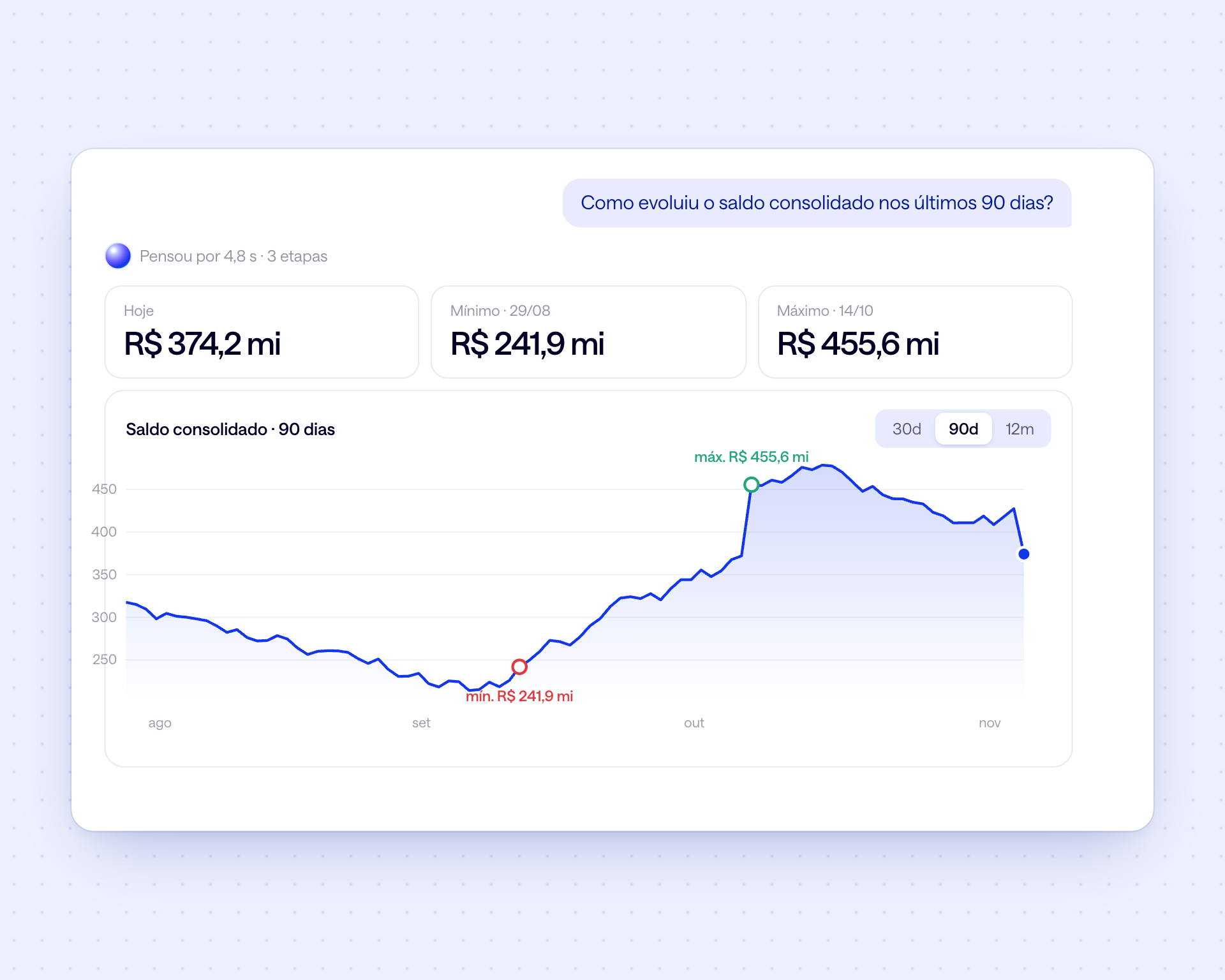
Charts that build themselves
Ask how the balance evolved and get the 90-day line with minimum, maximum and the period's indicators. The question picks the chart.
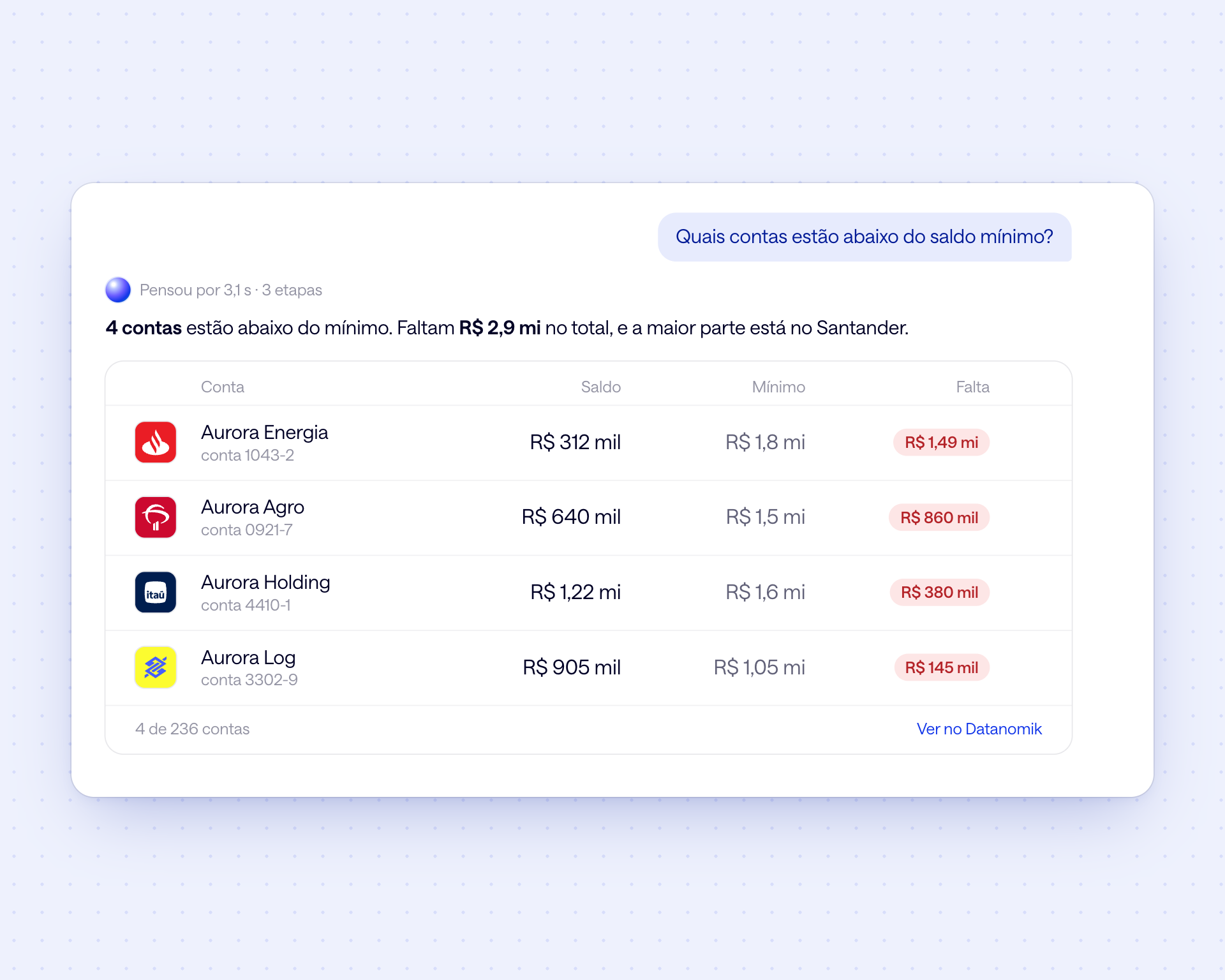
Alerts that become lists
Accounts below the minimum balance, investments maturing, transactions above an amount: the answer comes as a list, with bank, account and how much is missing.
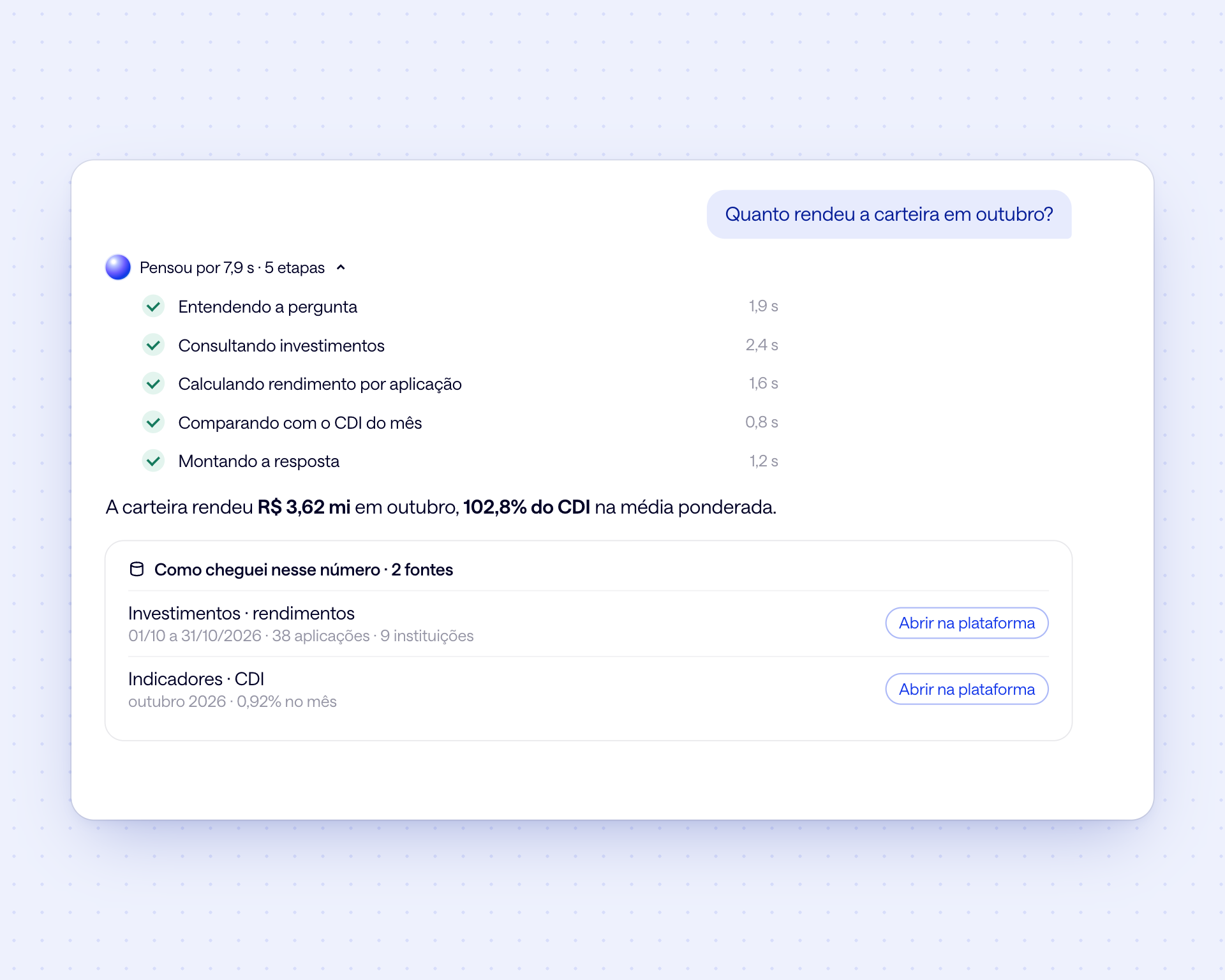
Every number with its source
See the steps the assistant took and where each piece of data came from, with period and filters, and open the same information in the platform.
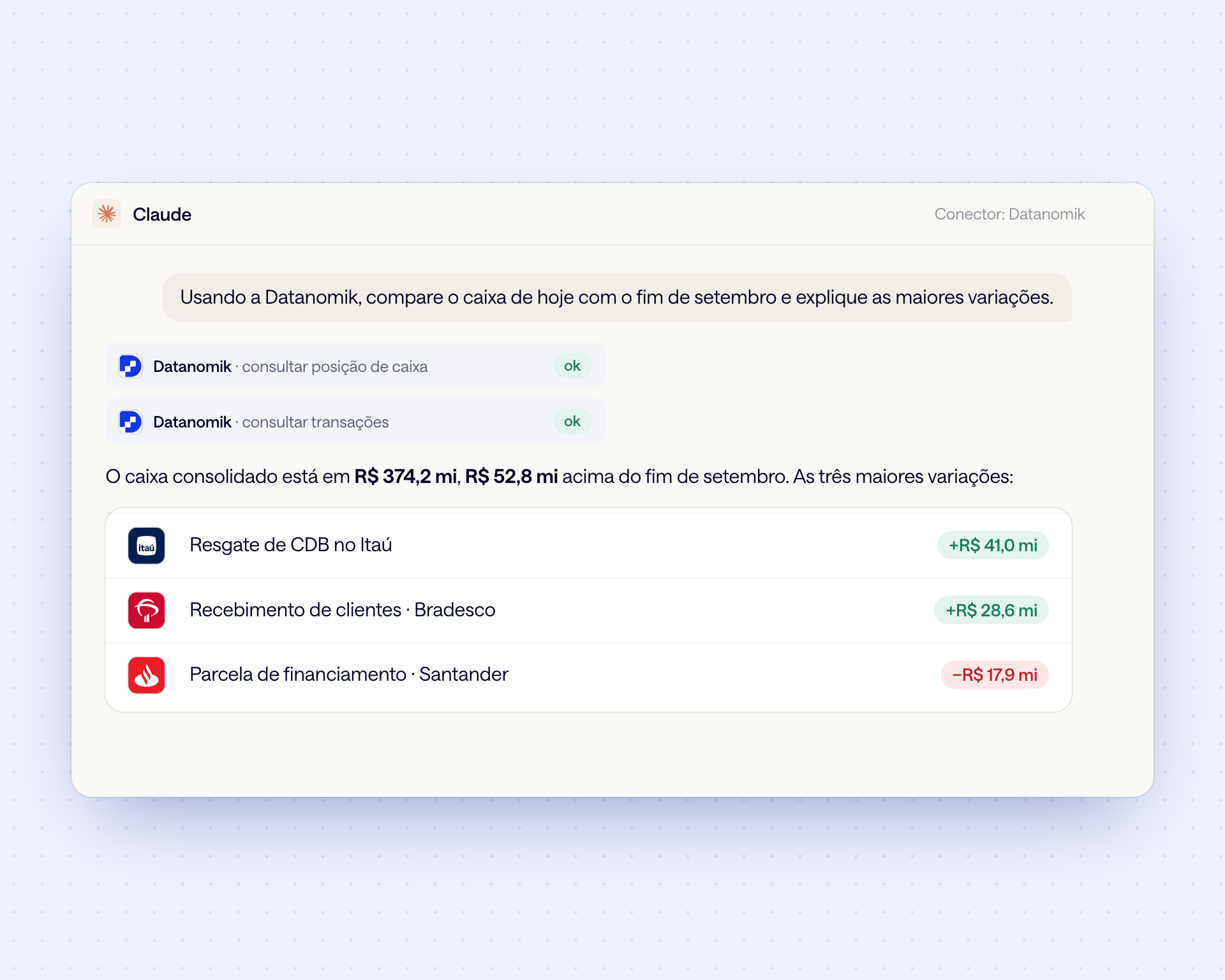
In Claude, through the Datanomik connector
Add Datanomik as a connector and ask in claude.ai, Claude Desktop or on your phone. Claude queries your treasury and answers with your numbers.
In Microsoft Copilot and ChatGPT
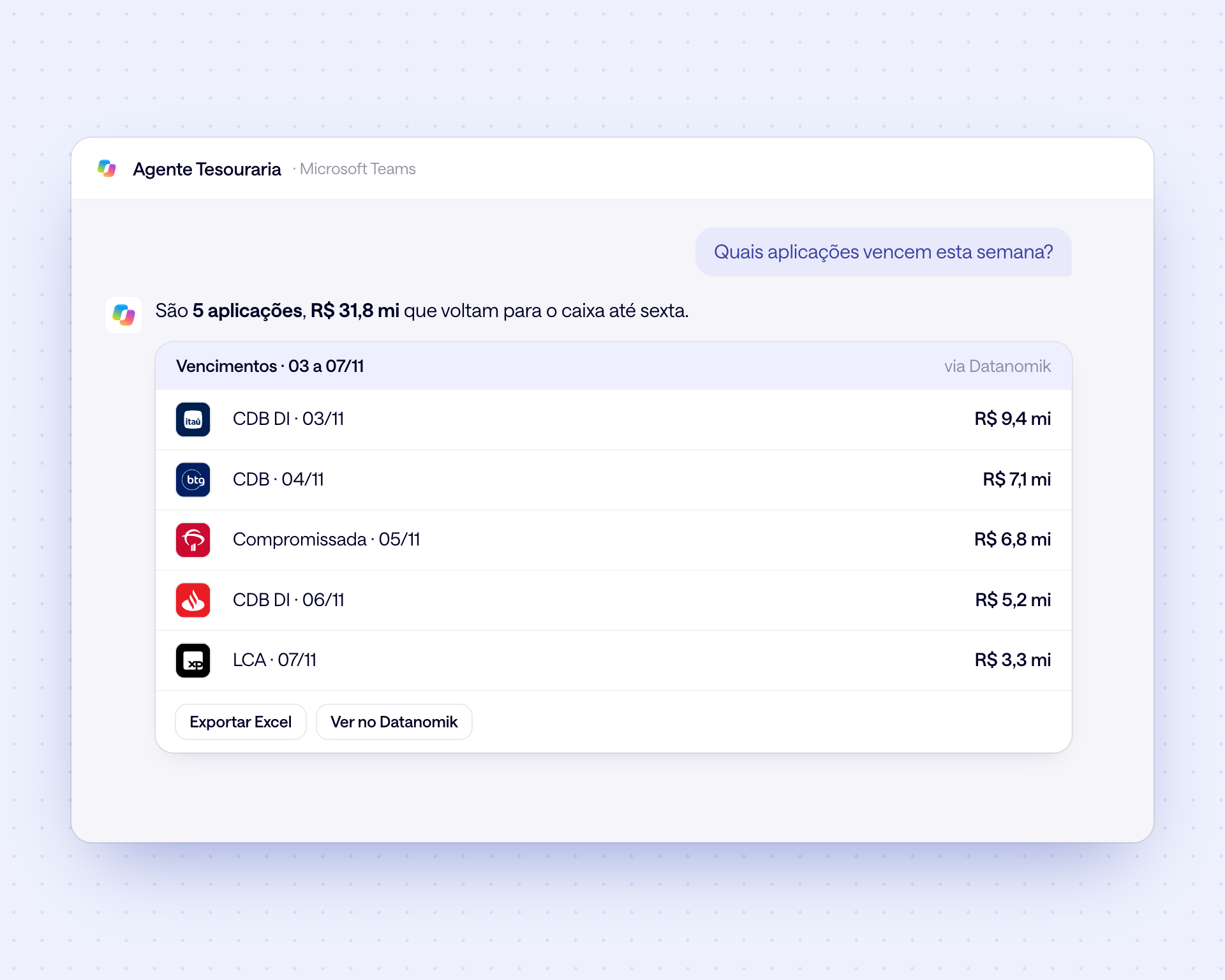
A Copilot Studio agent queries Datanomik and answers in Teams, with a table and Excel export. ChatGPT connects through the same MCP server.
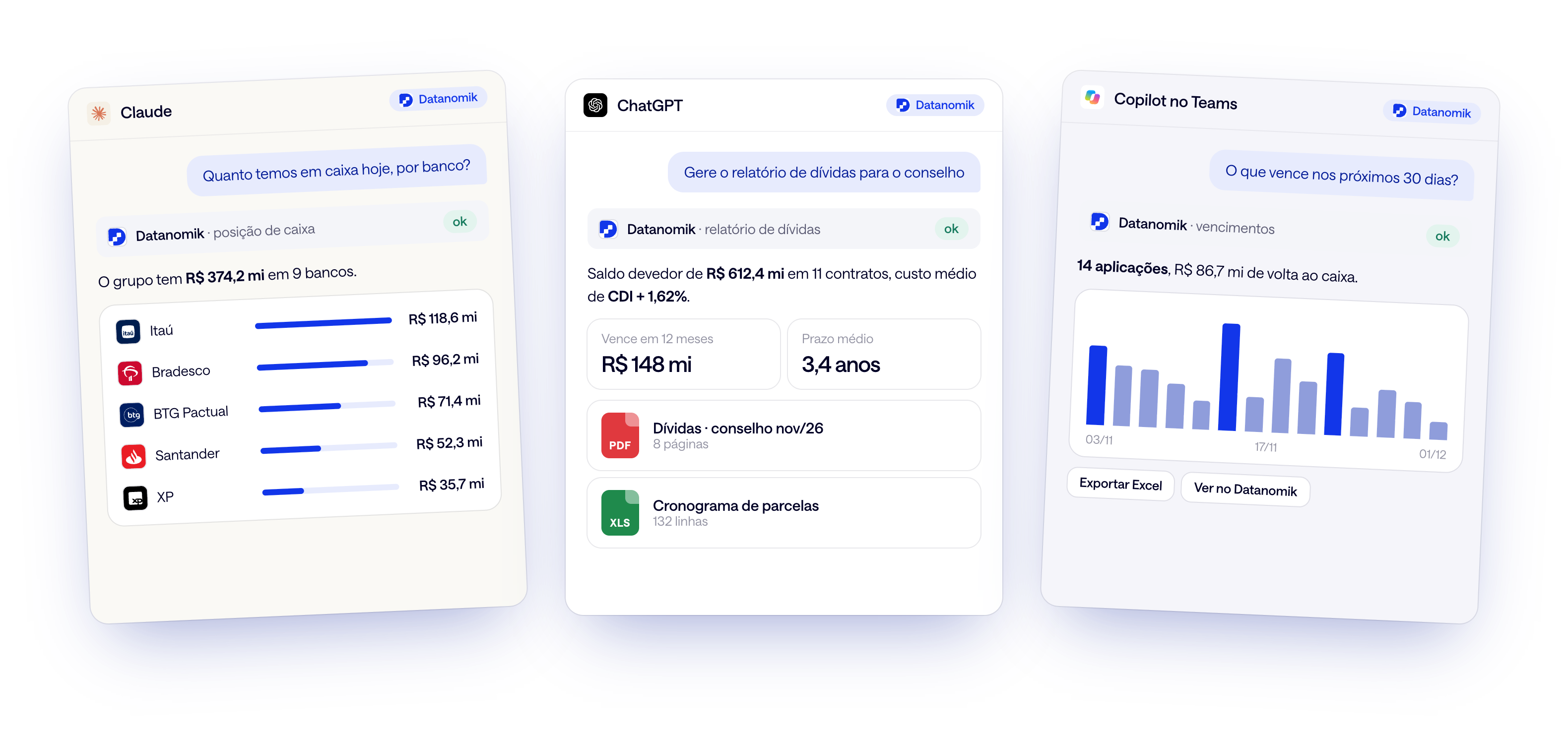
Your cash inside Claude, ChatGPT and Copilot.
Datanomik's MCP server brings the same answers to the AI assistant your company already uses. Charts, tables and PDF and Excel reports, with the data of all your banks.

1. Generate the key
In the Dashboard, create the API key and turn on MCP. With a view, the assistant sees only the right accounts and companies.
2. Connect the assistant
Add mcp.datanomik.com/mcp as a connector in Claude, ChatGPT or Copilot Studio. Each user authorizes their own connection.

3. Ask safely
Read-only, a 30-day token and every query logged for auditing. The key's password never leaves Datanomik.
Ask, for example

How much cash do we have today, by bank?
Why did cash drop since Monday?
What matures in the next 30 days?
Which accounts are below the minimum balance?
How much did the portfolio yield as a % of CDI?
Build the debt report for the board
Frequently asked questions
What is Datanomik AI?

It is Datanomik's artificial intelligence assistant. It answers questions about cash, accounts, transactions, investments and debt with the data of all your banks, in charts, tables and reports.
Does Datanomik AI make payments or transfers?
No. The assistant queries data and generates reports in PDF and Excel. It does not create payments, make transfers or change records.
How do I connect Claude, ChatGPT or Copilot?
Through the Datanomik MCP server, at mcp.datanomik.com/mcp. The administrator generates an API key and enables MCP, and each user authorizes the connection in their assistant. The Claude and Copilot guides are in the documentation.
What can the assistant see?
Exactly what the API key sees: the entire workspace or only the accounts and companies of a view. That way each team only asks about what is theirs.
Does the key's password reach Anthropic, OpenAI or Microsoft?
No. The secret password is entered only on Datanomik's authorization page, which issues a token valid for 30 days. The assistant receives only the token, and every query is logged for auditing.
Which languages can I ask in?
Portuguese, Spanish or English. The answer comes in the same language as the question.
Ready to transform your treasury?
Fill out the form and our team will get in touch shortly.

Allan Andrade
Datanomik Treasury Manager